Bambu Lab P3C vs Snapmaker U1: Which Affordable Toolchanger?
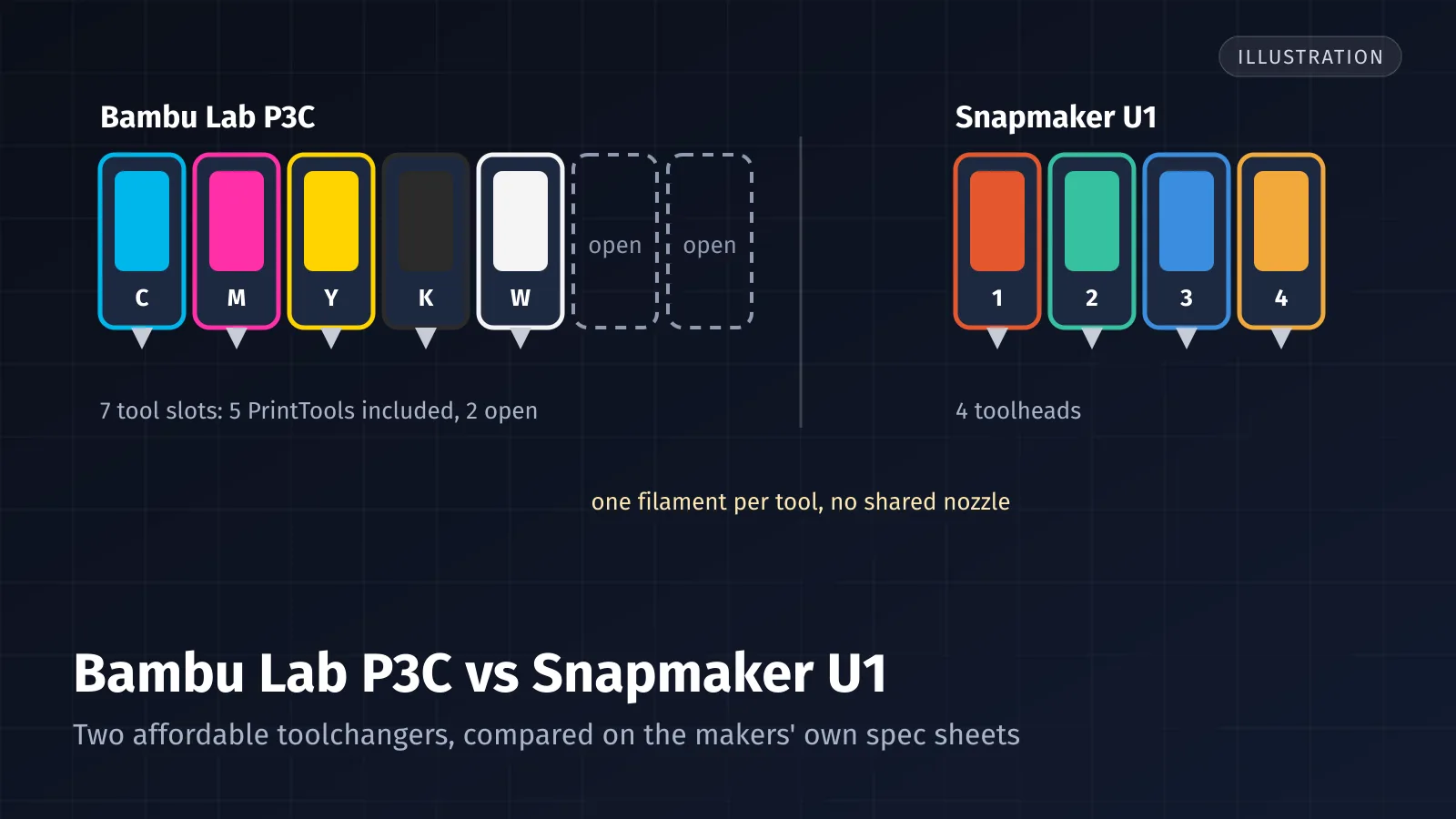
Short answer: The Bambu Lab P3C and the Snapmaker U1 are both toolchangers that keep each filament in its own nozzle, so a color change is a tool swap rather than a purge. The P3C, launched on 24 November 2026, has one toolhead, seven tool slots with five PrintTools included, a built-in seven-spool AMS 3P and hardened-steel nozzles; the U1 swaps four complete toolheads over a larger 270 mm build cube. On paper the P3C does more, and the U1 stays my pick for multicolor and visual prints for now.
Updated 25 November 2026. I have not used a P3C, so every P3C figure here is Bambu's own or a named reviewer's, and my own U1 timings and weights are still to come.
Toolchangers used to be the expensive end of multicolor printing. The Snapmaker U1 changed that for me: four colors, four nozzles, at a price a hobbyist can justify, which is why it sits at the top of my multicolor picks.
Disclosure: Snapmaker provided my U1 as a review unit. It is not tied to Snapmaker's Innovation Fund, and the opinions here are my own, with nothing pre-approved.
On 24 November 2026 Bambu Lab answered. The P3C takes the tool-changing system from its H3C flagship and puts it in a desktop machine that Bambu's launch post prices at $1,149 for the P3C Combo, against $2,499 for the H3C.
This is a spec-sheet comparison, not a review. I print on a U1 and have not touched a P3C, so every P3C number below is Bambu's or a named reviewer's, labeled as such. Where only a test can settle a question, I say so.
What Bambu put in the P3C
Seven docks, five tools in them, and a filament cabinet built into the body. Bambu's spec page calls the system Swaptek 7-tool switching, and its footnote says the printer comes with five PrintTools and switches between up to seven.
So it is not a five-to-seven-toolhead machine. There is one toolhead, and it picks up PrintTools: a hotend with its own 0.4 mm hardened-steel nozzle, heater and short filament path, while the extruder and fans stay on the toolhead, as CNC Kitchen's review describes it.
The U1 does it the other way round. It swaps four complete toolheads, each a full printhead, which is why Snapmaker counts toolheads where Bambu counts tools.
The two empty P3C docks take tools you buy later: a dedicated 2.85 mm TPU PrintTool, or the CutTool, DrawTool and DebossTool that Bambu sells separately.
Behind the tools sits the AMS 3P. It holds seven spools in a sealed compartment inside the printer, reads Bambu's RFID tags, and takes an optional dryer module that heats two slots at a time to 75 °C.
One footnote matters for daily use. Bambu says automatic feeding is not available on the AMS 3P and that there is no official accessory that adds it, so every spool is loaded and unloaded by hand. CNC Kitchen put changing all seven spools at a good five minutes, and Tom's Hardware listed tedious loading as a con.
For more than seven materials, an optional buffer on PrintTool No. 1 connects up to four external AMS units, for up to 22 colors in one print according to Bambu's launch post. Bambu's wiki adds the catch: those extra spools share PrintTool No. 1 and purge like a normal AMS change.
Bambu's launch post gives no ship date. It says the printer and the AMS 3P ship in separate packages and may arrive at different times, and it lists higher prices for several P3C bundles after 3 December 2026.
If you want the P3C on its own terms first, TinkerAtlas has a plain Bambu Lab P3C explainer with a full spec table and the open questions Bambu still has to answer.
P3C vs U1 on paper
Put the two spec sheets side by side and the P3C wins most rows. Not all of them.
| Spec | Bambu Lab P3C | Snapmaker U1 |
|---|---|---|
| Tool system | Swaptek: 1 toolhead, 7 slots, 5 PrintTools included | SnapSwap: 4 complete toolheads |
| Build volume | 256 × 256 × 260 mm | 270 × 270 × 270 mm |
| Tool change (maker's own test) | 3.4 s tool switch, 6 s material switch (Bambu internal testing) | 5 s direct swap (Snapmaker Lab tests) |
| Purge claim (maker's own test) | 0.038 g per change (Bambu internal testing, optimal conditions) | Up to 85% less waste than shared-nozzle printers (Snapmaker Lab tests) |
| Max hotend flow | 40 mm³/s (Bambu ABS, 280 °C test) | 32 mm³/s |
| Max speed, acceleration | 1,400 mm/s, 25,000 mm/s² | 500 mm/s, 20,000 mm/s² |
| Nozzle | Hardened steel, 300 °C; 0.4 mm included, 0.2 to 0.8 mm supported | Stainless steel, 300 °C, 0.4 mm |
| Filament diameter | 1.75 mm; 2.85 mm TPU through the bypass feed | 1.75 mm |
| Bed | 110 °C, textured PEI plate | 100 °C, PEI steel sheet |
| Enclosure and filtration | Enclosed, no active chamber heating; HEPA H11 and activated carbon | Optional Top Cover, sold separately |
| Filament storage | AMS 3P built in: 7 sealed spools, optional 2-slot dryer; manual loading | 4 spools, auto-loading, Backup Mode, RFID |
| Weight | 26.5 kg including the AMS 3P | 18.2 kg |
| Slicer | Bambu Studio | Snapmaker Orca, OrcaSlicer |
| Network | Wi-Fi 6, no Ethernet | 2.4 GHz Wi-Fi, USB drive |
| US price (maker, dated) | P3C Combo $1,149 (Bambu launch post, 24 Nov 2026) | $699 on a $999 list (Snapmaker US store, 25 Nov 2026) |
Every spec comes from the two makers' spec and product pages and Bambu's wiki, checked on 24 and 25 November 2026. The swap and purge rows are each maker's own lab or internal-test claim, not an independent measurement.
Four rows favor the U1: a bigger build cube, 8.3 kg less weight (Bambu's figure includes the built-in AMS 3P), auto-loading and a lower price. The rest lean toward the P3C, and two of them, tool count and nozzle material, are the ones a toolchanger buyer feels first.
Tool changes and purge: two sets of lab numbers
Six seconds against five. It looks like a race, and it is not one.
Bambu quotes 3.4 s for a tool switch and 6 s for a material switch, print to print, with Active Pre-Heat warming the next nozzle while the current one still prints. Its footnote says the 6 s figure comes from internal testing under optimal conditions with PLA Basic in filament-saving purge mode, and that real times vary with filament and slicer settings.
Snapmaker quotes 5 s for a direct swap on the U1 and calls it a typical result from Snapmaker Lab tests, for reference only. The two makers time different spans, and neither publishes enough of its method to line the numbers up, so I read them as the same class of machine rather than a winner.
Purge is the same story. Bambu gives 0.038 g per change from internal testing under optimal conditions, and notes that real purge varies with print settings and filament type.
The first independent number came from CNC Kitchen's review unit. It timed a tool change at around 6 to 7 seconds and measured about 15 mm, or 50 mg, of filament primed onto the prime tower at every change, so 1,000 changes add up to about 50 g.
Snapmaker gives a percentage instead: up to 85% less waste than shared-nozzle printers on the same multi-color prints, in its own lab. Its product page shows one example, a 4-color dragon figure with 80.68 g of total waste on the U1 against 309.75 g on a shared-nozzle printer, where total waste includes supports, the prime tower and pre-print nozzle clearing.
A per-change gram figure and a per-print total measure different things. That is why the next step is a scale, not a spreadsheet.
Both machines share the part that matters most. Each filament stays loaded in its own heated nozzle, so neither printer pushes the old color out through a shared nozzle the way a single-nozzle AMS printer does, and my toolchanger vs AMS guide does the arithmetic.
Soft TPU and 2.85 mm filament
Soft TPU buckles. Push a 75A strand down a long tube and it can fold before it reaches the nozzle.
Bambu's answer on the P3C is FlexFeed: an extruder that takes 1.75 mm and 2.85 mm filament, plus an optional dedicated TPU PrintTool for 2.85 mm TPU fed through the bypass. Bambu says thicker TPU resists bending on its way to the nozzle, and that the P3C prints TPU as soft as 75A at up to 3× the maximum volumetric flow rate.
Read the footnote on that claim. The 3× comes from internal testing against Bambu's own previous-generation machine on 1.75 mm filament, not against the U1 or any other brand.
The TPU tool lives in one of the two open docks. A five-color print with a soft TPU part therefore uses six of the seven slots.
The U1 takes 1.75 mm filament only. Snapmaker lists TPU as a basic U1 material and pitches rigid-and-flexible pairs, including TPUs of different hardness, in one print, but it publishes no softest-TPU figure, so 75A on the U1 is a question for a test.
On either machine, which rigid and soft pairs actually bond is a separate question. TinkerAtlas covers it in PLA and TPU together.
Color mixing: five tools against four
Cyan, magenta, yellow, black, white. Five letters, and the P3C ships with exactly five PrintTools.
Bambu's product page makes the connection itself: "With one PrintTool dedicated to each CMYKW color, full-spectrum color mixing is ready right out of the box." The footnote adds the condition, that color mixing needs Bambu's CMYKW PLA Palette filament for the intended result, and the launch post's Complete Experience Combo is the bundle that includes it.
Mixing stacks filaments in thin alternating layers so your eye blends them at a distance. A mixed region therefore changes tools on nearly every layer, which is the job a toolchanger is built for.
The U1 does the same trick with four. Snapmaker brought Full Spectrum color mixing to Snapmaker Orca in June 2026 for printing many-color models from four filaments, and upstream OrcaSlicer 2.5 has Mixed Filament, which blends two or three loaded filaments of the same type.
On four tools the usual set is cyan, magenta, yellow and white, the CMYW set OrcaSlicer's one-click auto-mix builds from. Five tools give the black its own nozzle without giving up a color, and the TinkerAtlas guide to 3D printing color mixing explains what that translucent black does.
Materials, nozzles and the box around them
Carbon-fiber filament wears through stainless nozzles. Every P3C nozzle is hardened steel, rated HRC 55+ in Bambu's launch post, so carbon- and glass-fiber filaments are on its supported list from the box.
That list also covers ABS, ASA, HIPS, PA, PAHT, PC, PET and PPA. The P3C is enclosed, with a HEPA H11 filter and coconut-shell activated carbon, but Bambu's wiki says it has no active chamber heating, unlike the H3C's 65 °C chamber; CNC Kitchen saw 45 to 50 °C after an hour of ASA.
The U1 ships with stainless 0.4 mm nozzles. Snapmaker lists PLA, PETG, TPU, PVA and PCTG as basic materials, adds PET, ABS, ASA, PA and PC with the optional Top Cover, and lists fiber-filled filaments only with the Top Cover and a hardened steel nozzle.
I do not have the Top Cover on my U1 yet. Until I do, my technical prints go on the Qidi Plus 4, which is a great printer but not one for multicolor or multi-material work.
Both nozzles top out at 300 °C. For PLA, PETG and TPU the gap is small; for engineering filaments, the P3C is ready out of the box and the U1 needs extra parts.
Nozzle sizes split the same way. The P3C supports 0.2, 0.4, 0.6 and 0.8 mm nozzles, the non-0.4 mm ones sold as add-ons, and Bambu Studio can give each PrintTool its own layer height when they differ, while Snapmaker's spec page lists the U1 with a 0.4 mm nozzle.
Which filaments can share one part, whatever the printer, is a bonding question. The TinkerAtlas filament compatibility chart answers it pair by pair.
Software: Bambu Studio 2.9.2 against Orca
Every swap gets planned in the slicer before the printer moves. Bambu Studio 2.9.2 came out the same day as the P3C and adds support for it.
The same release reports each filament's print time in the preview, adds a cross-part color penetration option for painted top and bottom surfaces, improves seam placement on multi-color models and raises the manual flush volume limit to 2000 mm³. Bambu's spec sheet says third-party slicers that export standard G-code work with the P3C, but certain advanced features may not, so plan on Bambu Studio.
The printer side has a first release too. Bambu's wiki lists P3C firmware 01.01.00.00, dated 24 November 2026, which adds support for the optional dryer module and for up to four auxiliary AMS units on PrintTool No. 1.
Snapmaker supports two slicers for the U1. Its own fork, Snapmaker Orca, is at 2.4.1 stable with 2.4.2-alpha in testing, and upstream OrcaSlicer is at 2.5.2; what the 2.5 series changed for U1 owners is in OrcaSlicer 2.5 on the Snapmaker U1.
P3C or H3C: the quick version
Bambu says the P3C shares the exact same core and 6-second switching speed as the flagship H3C. The difference is everything around that core.
The H3C, at $2,499 in Bambu's launch post, has nine tools, a 330 × 320 × 325 mm build volume, 350 °C nozzles, a 120 °C bed, active chamber heating up to 65 °C and an AMS 3H that feeds automatically and dries at up to 85 °C. Those extras matter for engineering filaments that need a hot chamber, and much less for PLA, PETG and TPU.
My Bambu Lab H3C piece has the full sheet. The other Formnext machines are in my Formnext 2026 toolchanger roundup.
Which one I'd buy
On specs, the P3C has the stronger sheet. More tools, hardened nozzles from day one, sealed spool storage, 2.85 mm TPU and a CMYKW set that fits without a compromise.
The U1 has a bigger build cube, a lighter frame, auto-loading, two slicers and a lower price, and Snapmaker says more than 100,000 units have shipped. The P3C launched on 24 November, its launch post gives no ship date, and the only test numbers so far come from the first reviews.
My U1 is my go-to for multicolor and visual prints. It has been a workhorse and has worked perfectly, and the long version is in my Snapmaker U1 review.
So the U1 stays my multicolor and affordable-toolchanger pick for now. The P3C is the first rival in the same affordable-toolchanger slot with a stronger spec sheet, and if you need more than four materials or engineering filaments from the box, it is the better fit on paper.
On 25 November Snapmaker's US store listed the U1 at $699, down from $999. Bambu's US store sent me to its EU store from Norway, so the P3C price here is the launch post's $1,149, and the EU store showed €1,149 the same day. Check both stores on the day you buy, because both makers change prices often.
If you print in one color, skip both. The Bambu Lab P2S is my single-color pick, and Snapmaker U1 vs Bambu Lab P2S explains why; the other four-tool rival is in Snapmaker U1 vs Creality K3.
FAQ
Is the Bambu Lab P3C a toolchanger?
The Bambu Lab P3C is a toolchanger: its Swaptek system switches between up to seven PrintTools, each with its own nozzle, heater and filament path. Five PrintTools ship with it, and two slots are open for extra tools.
Does the P3C have five or seven toolheads?
The P3C is a single-toolhead printer with 7 tool slots and 5 PrintTools included. The toolhead picks up one PrintTool at a time, while the Snapmaker U1 swaps four complete toolheads.
How many colors can the P3C print compared with the U1?
The P3C's limit is seven materials with all seven slots filled, and up to 22 with external AMS units on its PrintTool No. 1, according to Bambu. The Snapmaker U1 prints four, one per toolhead.
Is the P3C faster than the Snapmaker U1?
The P3C's rated speeds are higher: 1,400 mm/s and 25,000 mm/s² against the U1's 500 mm/s and 20,000 mm/s², with 40 against 32 mm³/s of hotend flow. Both swap times, 6 s for Bambu and 5 s for Snapmaker, come from each maker's own lab, so real print times need a side-by-side test.
Does the Bambu Lab P3C have a heated chamber?
The P3C is an enclosed printer without active chamber heating, according to Bambu's wiki. The H3C is the Swaptek model with active chamber heating, up to 65 °C.
Can the Snapmaker U1 do CMYK color mixing?
The Snapmaker U1 is a four-toolhead printer that mixes colors through Snapmaker Orca's Full Spectrum feature or OrcaSlicer 2.5's Mixed Filament. Four tools usually means a CMYW set, while the P3C's five PrintTools hold all five CMYKW colors at once.
What is the difference between the P3C and the H3C?
The P3C is Bambu's smaller Swaptek toolchanger: seven tool slots, 256 × 256 × 260 mm and 300 °C nozzles, against the H3C's nine tools, 330 × 320 × 325 mm, 350 °C nozzles and 65 °C heated chamber. Bambu says both share the same core and 6-second switching speed.
Can I slice for the P3C in OrcaSlicer?
Bambu Studio is the slicer Bambu lists for the P3C, and version 2.9.2 added it on launch day. Bambu says third-party slicers that export standard G-code work but may miss certain advanced features, and OrcaSlicer 2.5.2's release notes do not mention the P3C.
Sources
Sources were checked on 24 and 25 November 2026.
- Bambu Lab: P3C technical specifications (and AMS 3P)
- Bambu Lab: P3C product page (6 s, 0.038 g, TPU flow and color mixing footnotes)
- Bambu Lab blog: Bambu Lab P3C brings home its H3C technology at half the price, 24 November 2026
- Bambu Lab Wiki: P3C FAQ (chamber, loading, extra AMS units)
- Bambu Lab Wiki: P3C firmware release history
- Bambu Lab: H3C technical specifications
- Bambu Studio on GitHub: 2.9.2 public release, 24 November 2026
- CNC Kitchen: Bambu Lab P3C Review, 24 November 2026
- Tom's Hardware: Bambu Lab P3C Review, 24 November 2026
- Snapmaker: U1 specifications
- Snapmaker: U1 product page (5 s swaps, waste examples, Top Cover)
- Snapmaker US store: U1 (price checked 25 November 2026)
- Snapmaker blog: Getting Started with Full Spectrum Slicing, 1 June 2026
- OrcaSlicer on GitHub: V2.5.0 alpha release notes (Mixed Filament, CMYW auto-mix)
- OrcaSlicer on GitHub: V2.5.2 release notes, 21 November 2026