Bambu Lab H3C: What the Nine-Tool Swaptek Printer Changes
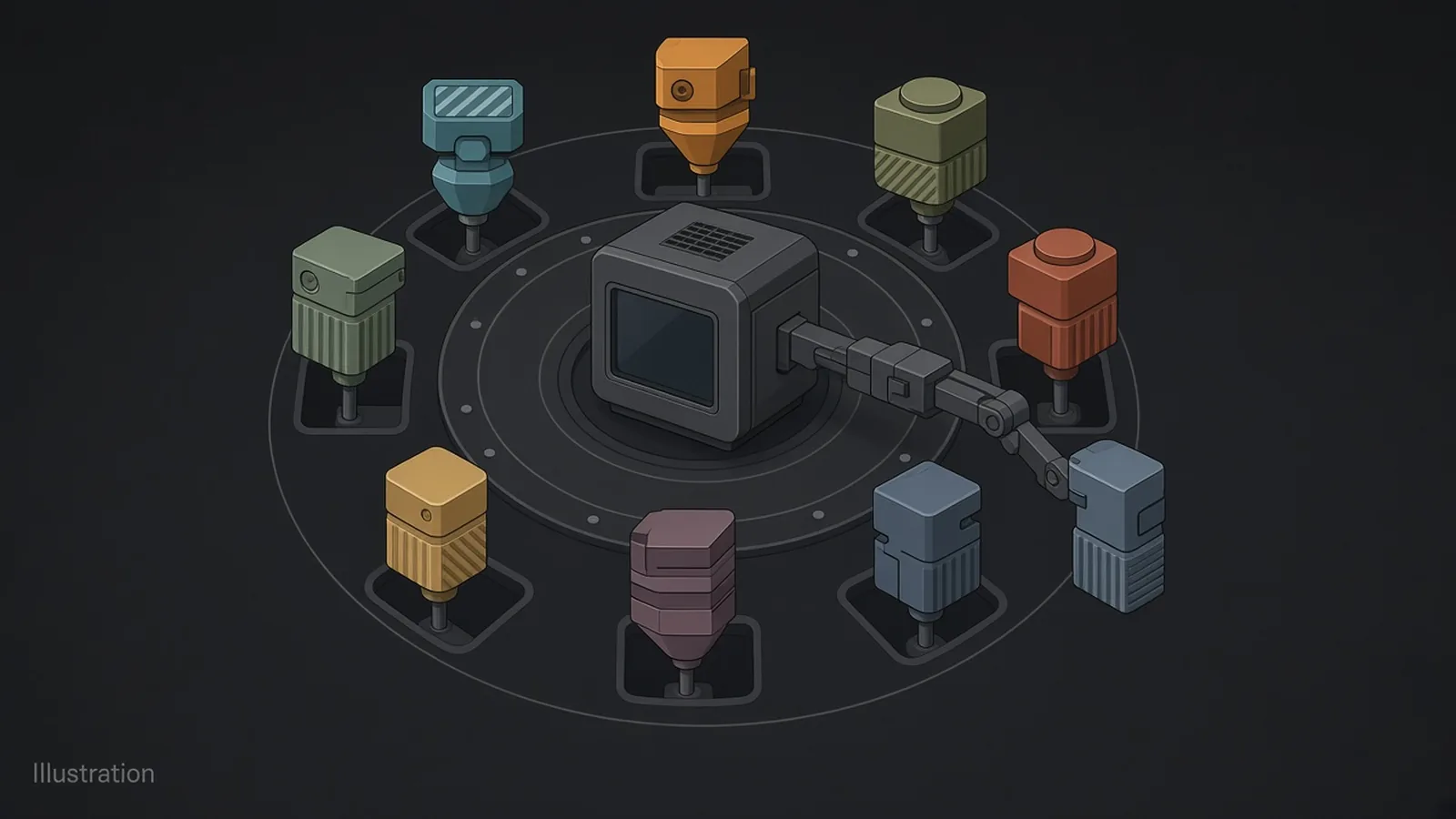
Short answer: The Bambu Lab H3C is a nine-tool printer built around a system Bambu calls Swaptek: nine PrintTools, each with its own filament path and heater, a built-in AMS 3H, a 330 × 320 × 325 mm build volume and a 65°C heated chamber. It was $2,499 on Bambu Lab's US store on 19 November 2026, with shipping estimated around 11 December. It is Bambu's expensive flagship, and it does not change my picks: the Snapmaker U1 for affordable multicolour, the Bambu Lab P2S for single colour.
Updated 19 November 2026. The price and ship estimate were checked on Bambu Lab's US store that evening, Oslo time. I have not used an H3C, so every figure here is Bambu's own; Snapmaker sent me the U1 I compare it with and has no say over what I write.
Nine tools is more than twice what a U1 carries. It is also more than three times the U1's current sale price.
Bambu Lab launched the H3C on 3 November 2026 and brought it to Formnext in Frankfurt two weeks later, on a stand shared with its R1 laser and the Bambu Circle partner programme.
This piece goes through what the H3C is, which numbers are Bambu's internal tests, and where it leaves the two printers I recommend most. If you only want the answer for your own desk, skip to the last section.
Nine tools, and a box of spools behind them
Start with the count: nine PrintTools, each a separate tool with its own filament path and its own heater, swapped in as the print needs them. Bambu calls the system Swaptek, and the H3C its first third-generation printer.
Behind the tools sits the AMS 3H, built in rather than bolted on. Bambu lists sealed storage, RFID, automatic routing, drying at up to 85°C and dedicated TPU inlets. Bambu ties its TPU claims to a system it calls FlexFeed.
So the H3C is two ideas in one box. A toolchanger, so each colour has its own nozzle, and a filament manager, so spools are stored, dried and routed automatically.
Bambu's own Swaptek explainer covers the mechanism. For the general idea of why separate tools waste less filament than a shared nozzle, my toolchanger vs AMS guide has the comparison.
The numbers Bambu tested itself
Three of the H3C's headline numbers fit on a sticker. All three are internal tests.
- "As little as 6 seconds" for a material switch, print to print, with Active Pre-Heat warming the next tool in advance.
- "3.4s Tool Change" on the product page, which is a narrower span than print to print.
- "0.038g Low Purge" per change, with Bambu's own note that actual purge varies.
Read the first two together. A 3.4-second tool change and a 6-second print-to-print switch are not competing numbers; they time different spans of the same event, and the larger one is the one you will feel.
The TPU claim is the bolder one. Bambu says the H3C prints TPU as soft as 75A, at up to three times the flow rate of a conventional or previous-generation printer, in its own tests (note 1).
Motion claims are on the same footing: a toolhead and X-axis assembly 40% lighter than the H2D's, up to 25,000 mm/s² and 1,400 mm/s, and "more than 10% faster" than Bambu's previous flagship on average. None of these has an independent test behind it yet. Treat them as a ceiling until reviewers report.
Build volume, temperatures and the parts sold separately
Among the four-plus-tool printers you can order today, the H3C is the largest and the hottest. Here is the sheet.
| Spec | Bambu Lab H3C |
|---|---|
| Tools | 9 PrintTools (Swaptek) |
| Build volume | 330 × 320 × 325 mm |
| Max nozzle temperature | 350°C |
| Max bed temperature | 120°C |
| Chamber | Active heating up to 65°C |
| Filament diameters | 1.75 mm and 2.85 mm |
| Filament system | AMS 3H built in; drying up to 85°C |
| External size and weight | 493 × 571 × 587 mm, 36.28 kg with the AMS 3H |
Two of those rows are unusual on a consumer machine. A heated chamber at 65°C is aimed at engineering filaments that warp in open air, and 2.85 mm support opens up filament stock that most desktop printers cannot take.
Then the extras. Bambu sells three optional CraftTools separately: a CutTool, a DrawTool and a DebossTool. Mixed nozzle sizes need extra hotends, also sold separately, and Bambu's colour mixing needs its CMYKW PLA Palette filament.
Bambu also lists optional high-flow nozzles, and the AMS 2 Pro or AMS HT for extra drying capacity. Price the machine with the parts you would actually use. If spec sheets are new to you, my guide to 3D printer specifications explained covers build volume, flow and acceleration.
Price and shipping
$2,499. That is the H3C's price on Bambu Lab's official US store on the evening of 19 November 2026, and the store gave its ship date as "around December 11, 2026".
That is an estimated ship date, not a delivery date, and Bambu's store prices change often. If you are reading this after the first units arrive, check the store before you trust either line.
There is no Amazon listing for the H3C that I could verify, so the only link here is Bambu's own store. No affiliate links.
How the H3C compares with the U1 and the P2S
Few buyers weigh the H3C against nothing. They weigh it against something they could afford more easily.
| Spec | Bambu Lab H3C | Snapmaker U1 | Bambu Lab P2S |
|---|---|---|---|
| Price, US store | $2,499 (19 Nov 2026) | $699 on a $999 list (19 Nov 2026) | Combo $649 on a $749 typical price (19 Nov 2026); confirm the printer-only price on the store |
| Multicolour method | 9 independent tools | 4 independent toolheads | 1 nozzle; optional AMS |
| Build volume | 330 × 320 × 325 mm | 270 × 270 × 270 mm | 256 × 256 × 256 mm |
| Max nozzle / bed | 350°C / 120°C | 300°C / 100°C | 300°C / 110°C |
| Enclosure | Heated chamber, up to 65°C | Open top; optional Top Cover | Enclosed, activated-carbon filter |
The U1's $699 is a Black Friday price that Snapmaker's homepage runs until 14 January 2027, and the P2S figure is from my last check of Bambu's store on 29 October.
Against the Snapmaker U1
The U1 does the core trick, each colour in its own hot nozzle, with four tools instead of nine. For signs, figures, Gridfinity labels and rigid-and-flex parts, four is usually enough, and the U1 does it for well under a third of the money at its current price.
The H3C wins on everything that needs more than four materials in one print, on chamber heat, on 2.85 mm filament and on mixed nozzle sizes with extra hotends. The U1 currently does not support hotends with different nozzle diameters in one print job, according to Snapmaker's Liber FAQ.
Materials follow the same line. Snapmaker lists PLA, PETG, TPU, PVA and PCTG as standard U1 materials, with ABS and ASA on the optional Top Cover, while the H3C's 350°C nozzles and 65°C chamber reach further into engineering filaments on Bambu's spec sheet. For two-material parts in PLA, PETG and TPU, that gap matters less than the price.
My pick does not change: the U1 is the multicolour and affordable toolchanger choice. The closer four-tool rival is the Creality K3, compared in Snapmaker U1 vs Creality K3.
Against the Bambu Lab P2S
If you print in one colour, the H3C is the wrong comparison. The P2S without AMS is my single-colour pick: enclosed, fast and ready for ABS and ASA out of the box, and Snapmaker U1 vs Bambu Lab P2S explains why.
Readers coming from Bambu's single-nozzle line will find the older flagships in the Bambu Lab printer comparison, and options outside Bambu in my alternatives to the X1 Carbon. My full shortlist is in recommended 3D printers.
"Up to 24 materials" is not 24 tools
Twenty-four sounds like a toolchanger with 24 heads. It isn't.
Bambu says that connecting an older AMS through tool 1 extends a single print to up to 24 materials. The H3C still has nine tools. As I read it, the extra spools feed tool 1 through the AMS, so changes between them work like any single-nozzle AMS change, with cutting, reloading and purging on that one tool.
That is useful if you need a large palette for one print. It is not a 24-head toolchanger, and the purge savings only apply to the nine tools themselves.
Soft TPU is usually on the list of filaments a multi-material unit cannot feed, which is why Bambu calls out the dedicated TPU inlets on the AMS 3H. My TinkerAtlas guide to which filaments can't be used in a multi-material unit covers the general feeding limits. Whether TPU and a rigid filament bond once they meet in one part is a separate question, in which filaments bond in multi-material prints.
What Bambu has promised the H2D, H2C and X2D
The H3C launch post also points at older machines. Bambu says the H2D, H2C and X2D will get multi-orifice and mixed-nozzle support, some of it this year and some by the first quarter of 2027.
That is a promise, with no per-printer list of what each one gets in the sources I used, and I am not going to fill it in for them. If you already own one of those printers, watch Bambu's blog before you sell it.
Who the H3C is for, and who should buy something else
You only need this many tools if you keep that many materials in play at once. If that job is yours, the H3C has more tools than anything else you can order today.
- Buy the H3C if you regularly need more than four materials in one part, print engineering filaments that want a hot chamber, use 2.85 mm filament, or want mixed nozzle sizes on a toolchanger.
- Buy the Snapmaker U1 if four colours or a rigid-and-flex pair covers most of what you make. It is my affordable multicolour pick.
- Buy the Bambu Lab P2S if you mostly print in one colour. It is my single-colour pick.
- Wait if you want independent reviews of the 6-second switch, the purge figure and the TPU flow before spending flagship money. First units are estimated around 11 December.
Measure the bench before you order. At 493 × 571 × 587 mm and 36.28 kg with the AMS 3H, this is a lot of printer to lift onto a desk.
The rest of the Formnext field, from the eight-head AXILOOP MC8 on Kickstarter to the unpriced Elegoo Centauri X Ultra, is in my Formnext 2026 toolchanger roundup.
Notes on the manufacturer numbers
Every figure in this list comes from Bambu Lab's product page or launch blog. None has an independent test behind it yet.
- Switching, purge and TPU. "As little as 6 seconds" print to print with Active Pre-Heat, "3.4s Tool Change", "0.038g Low Purge", and TPU as soft as 75A at up to 3× the flow rate of a conventional or previous-generation printer: Bambu internal testing, and Bambu notes that actual purge varies.
- Motion. 40% lighter toolhead and X-axis assembly than the H2D, up to 25,000 mm/s² and 1,400 mm/s, and "more than 10% faster" than the previous flagship on average: Bambu figures.
- 24 materials. Bambu's claim for a single print with an older AMS connected through tool 1.
FAQ
What is the Bambu Lab H3C?
The Bambu Lab H3C is a nine-tool printer built on Bambu's Swaptek system, with nine PrintTools that each have their own filament path and heater, a built-in AMS 3H and a 65°C heated chamber. Bambu launched it on 3 November 2026 and calls it its first third-generation printer.
How much does the Bambu Lab H3C cost?
The price of the H3C on Bambu Lab's US store was $2,499 on 19 November 2026, with an estimated ship date around 11 December 2026. CraftTools, extra hotends for mixed nozzle sizes and extra AMS units are sold separately.
What is the H3C's build volume?
The H3C build volume is 330 × 320 × 325 mm, according to Bambu Lab. The printer itself measures 493 × 571 × 587 mm and weighs 36.28 kg with the AMS 3H.
How fast does the H3C change tools?
The H3C tool change is 3.4 seconds on Bambu's product page, and a full material switch is "as little as 6 seconds" print to print with Active Pre-Heat. Both are Bambu internal test figures with no independent test yet.
Is the H3C better than the Snapmaker U1?
The H3C is the more capable machine, with nine tools against four, a heated chamber, 350°C nozzles and 2.85 mm support, at $2,499 against the U1's $699 sale price on 19 November 2026. The U1 is still the better buy if four tools cover what you print.
Can the H3C print soft TPU?
The H3C is rated for TPU as soft as 75A, according to Bambu, with dedicated TPU inlets on the built-in AMS 3H. Bambu also claims up to 3× the TPU flow rate of a conventional or previous-generation printer in its internal tests.
Can the H3C print 24 colours?
The 24-material figure is Bambu's claim for one print with an older AMS connected through tool 1. The H3C still has nine tools, so the extra spools share tool 1's nozzle and are changed the way any single-nozzle AMS changes filament.
Sources
Sources were checked on 19 November 2026.