SindriCAD
Free, open source parametric CAD for people who print what they model. It runs natively on Linux, Windows and macOS.
It exists because the good CAD would not run
Most parametric CAD assumes you are on Windows. That assumption costs you nothing until the day you move to Linux and find years of modeling habit stranded on the far side of a fence.
SindriCAD came out of that problem. The professional package behind the designs would not run on Linux, and the usual workarounds never stopped feeling like workarounds. So the tool got rebuilt instead of the workflow.
It is free and open source under the AGPL, which is the part that matters five years from now. No account, no trial, nothing that can be withdrawn later. The name comes from Sindri, the dwarf smith of Norse myth who forged Mjölnir, which is a reasonable thing to call software whose whole job is making parts.
Modeling for a printer, not for a drawing office
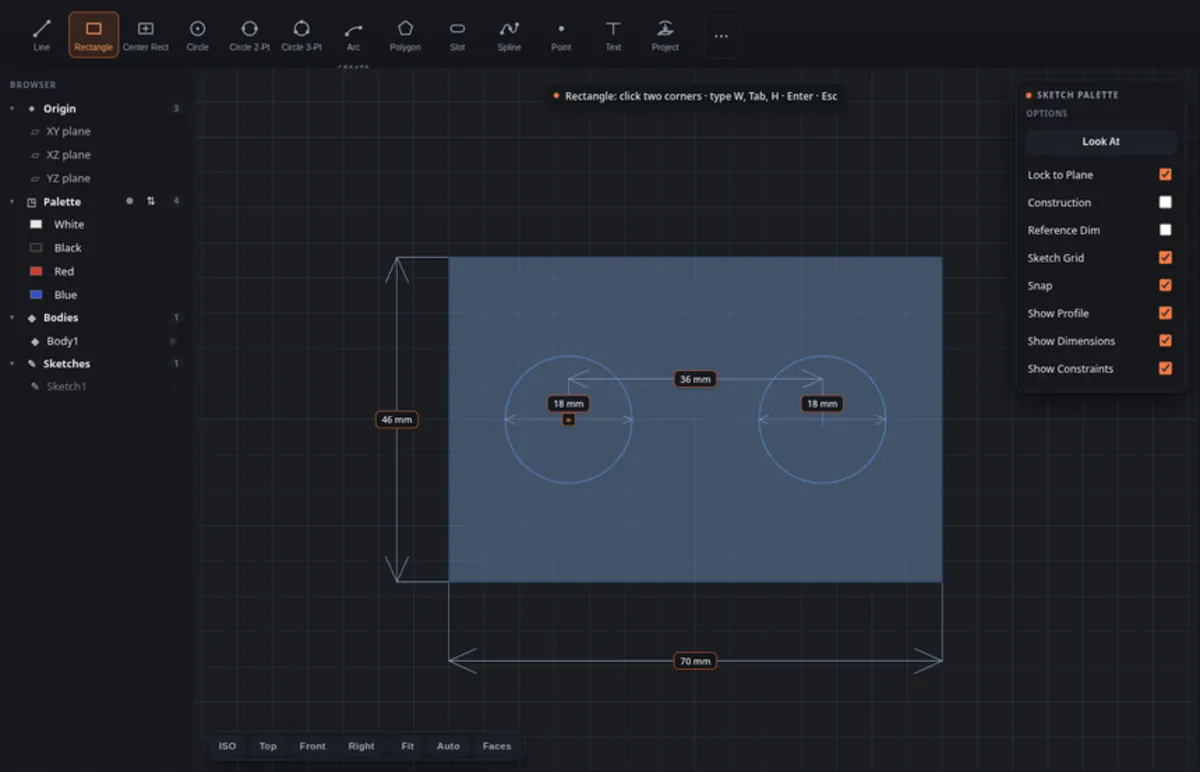
Sketch a profile. Pull it into a solid. Round the edges, hollow it to a wall thickness, send it to your slicer.
That loop is what the toolset covers: extrude, revolve, loft, fillet, chamfer, shell, press/pull, mirror and pattern. Nothing exotic. Everything you actually reach for when the thing you are making is a bracket, an enclosure or a mount.
The history stays live the whole time. Give a dimension a name, change it once, and every feature built on top of it rebuilds around the new number. Nothing gets redrawn.
If you have used mainstream professional CAD, the shortcuts are already in your fingers. That was a deliberate design decision. Relearning muscle memory is the tax nobody wants to pay for switching tools, and skipping it is most of why a switch sticks.
Why parametric matters more when you print
A printed part is never right the first time. The hole is a quarter of a millimetre too tight, the wall is thin where the screw goes in, the lid misses the hinge by less than you would like.
On a parametric model you fix that by changing the number and letting the part rebuild itself. On a mesh you fix it by starting again, or by pushing vertices around and hoping.
That gap compounds fast. Version four of a bracket costs you minutes instead of an evening, which is the difference between iterating on a design and settling for the first one that happened to fit.
Textures that survive the slicer
A bump map is a lie your printer never hears about. Knurling that only exists in the render is a smooth handle in your hand.
So SindriCAD presses knurls, honeycombs, waves and voronoi cells into a surface as real geometry. Actual faces, carried through export, through the slicer, and out onto the plate looking the way they looked on screen. Grip you can feel is the point.
It fits between the tools you already use
STL, STEP and 3MF go out. STEP and GLB come back in. Assign colours to parts of a model and what lands in your slicer is a 3MF a multi colour printer understands.
There is also work going on specifically for the Snapmaker U1, so if that is your machine there is more coming your way.
It is a beta and it behaves like one
The builds are unsigned, because code signing certificates cost money this project does not have yet. Linux and Windows install and run the normal way. macOS is the awkward one.
Unsigned means macOS quarantines the download and then tells you the app is damaged and cannot be opened. It is not damaged. That is simply the message macOS shows for a signature it cannot verify, and one command in Terminal clears it for good: xattr -dr com.apple.quarantine /Applications/SindriCAD.app
Keep backups of anything you care about. This is a public beta with rough edges, and saying so plainly is more useful to you than the marketing version would be.
Get SindriCAD
Downloads, install notes for each platform, and the full feature list live on the TinkerAtlas product page. That page is kept current with every release. This one is not the download.
SindriCAD on TinkerAtlas